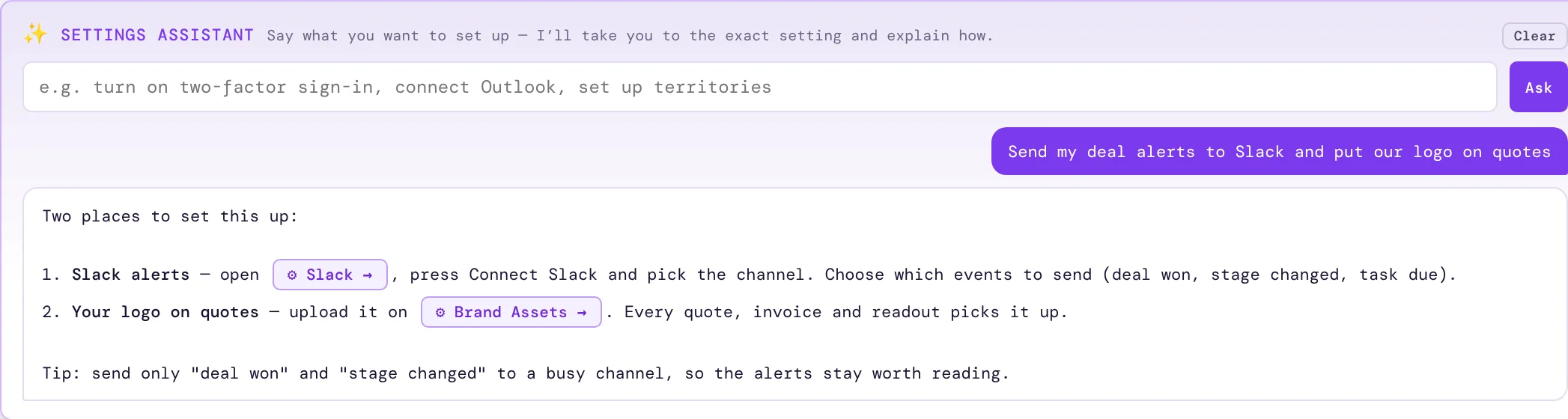
What it does
It reads the settings screens as you see them, so the answer fits your account, your role and the app you are using.
Nothing you have typed into a setting — keys, addresses, signatures — is sent with your question.
Next to it, the Setup Wizard walks a new account through Basic, Standard or Complete setup.
Available in your account once you sign in; it is not in the public demo.
How it works
- Open User SettingsThe assistant sits at the top.
- Say what you want"Turn on two-factor sign-in." "Connect Outlook."
- Press the buttonYou land on the setting, ready to change it.
Why sales people love it
- No hunting through menus or support articles.
- Admins get advice as well as directions.
- New users get set up properly on day one.