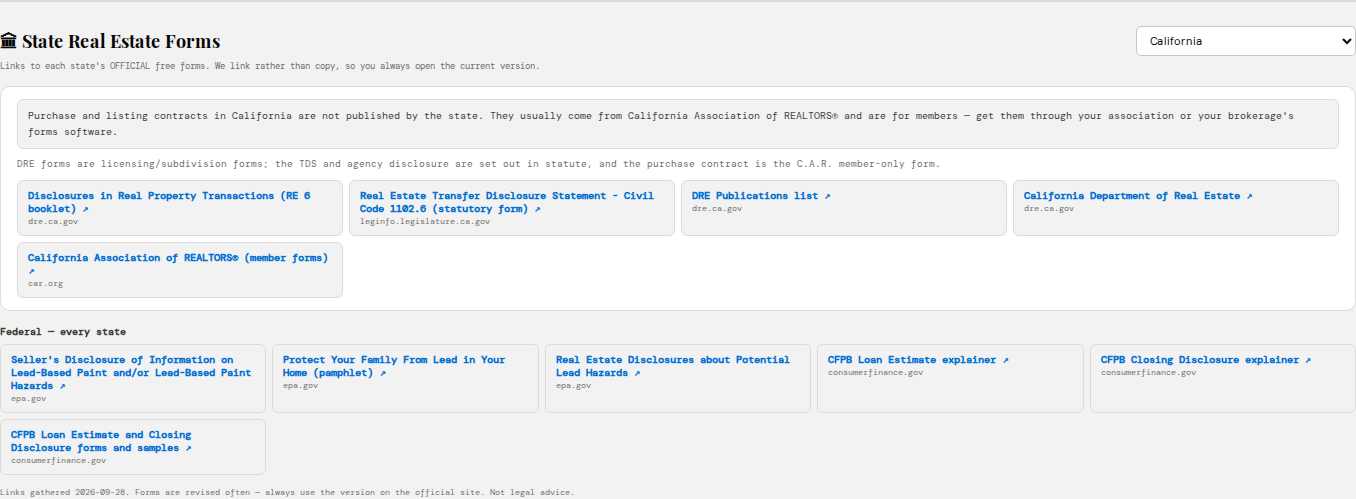
Every transaction, from first call to keys
The deal is the centre of the record — not the account — because in real estate the house or the building is the thing being sold.
A pipeline in the stages you actually use
Lead, consultation, representation signed, active search or listed, offer and negotiation, under contract, closed. Each deal carries its transaction type — buyer, seller, investor, tenant rep, acquisition — and that decides what the rest of the product asks for.
- Deal value, estimated commission and close date on every row
- Health at a glance: On Track, At Risk, Critical — with the reason
- Flags for a missing agreement or an offer waiting on an answer
- Sell-and-buy moves kept as two linked deals, so neither gets lost
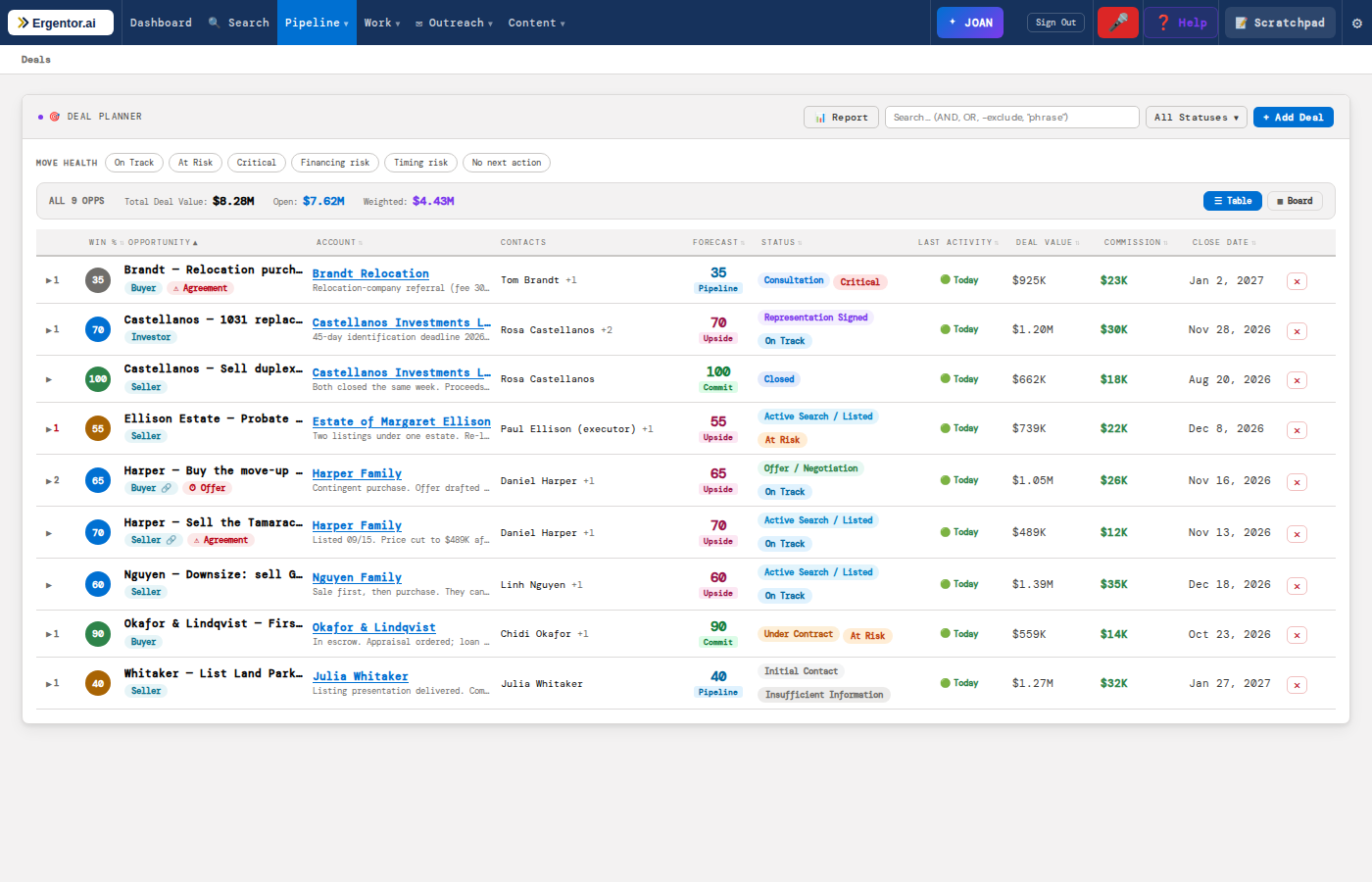
Open a deal, know where it stands in five seconds
Why the client is moving, which property, where their financing stands and the biggest risk — all at the top. Underneath, a qualification framework built for the market: MOVE for residential buyers and sellers, CRE-MEDDPICC for commercial.
- One next best action, with hard deadlines always first
- Health worked out from the transaction — financing, contingencies, closing readiness — and it says why
- Preapproval expiry, proof of funds and listing readiness tracked for you
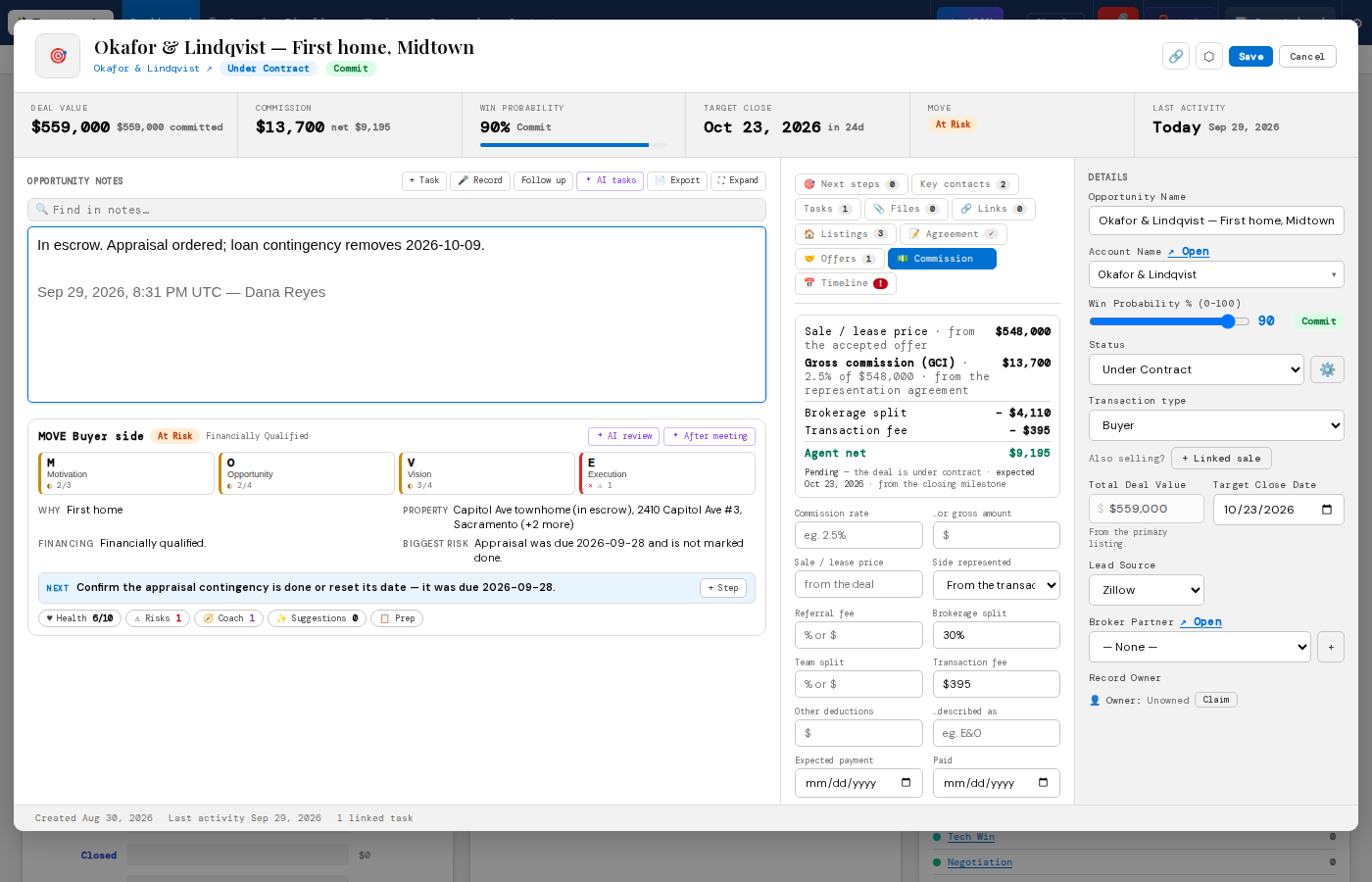
- Commission shown next to the deal value, gross and net
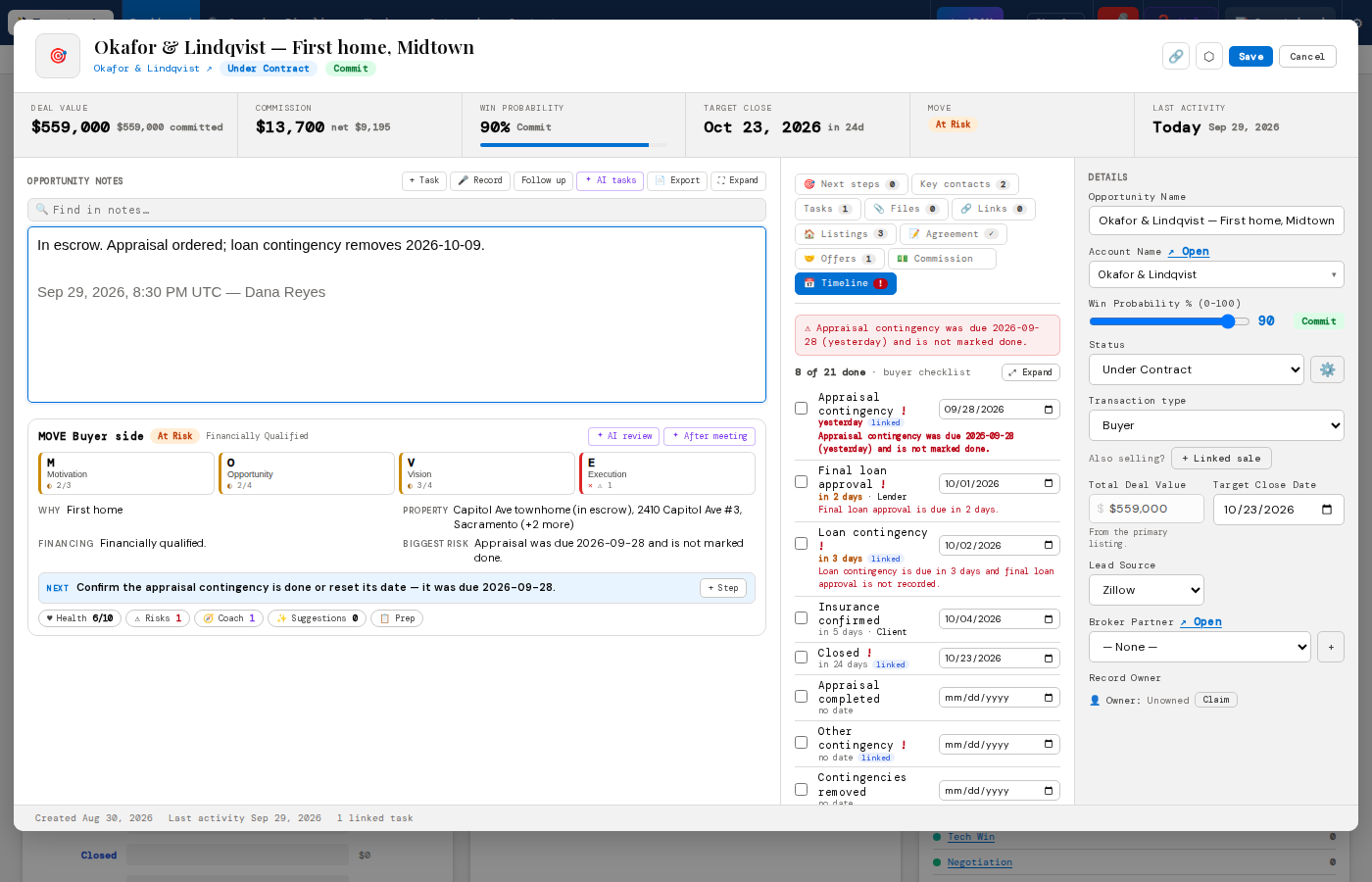
Listings live on the deal — and in one view across your book
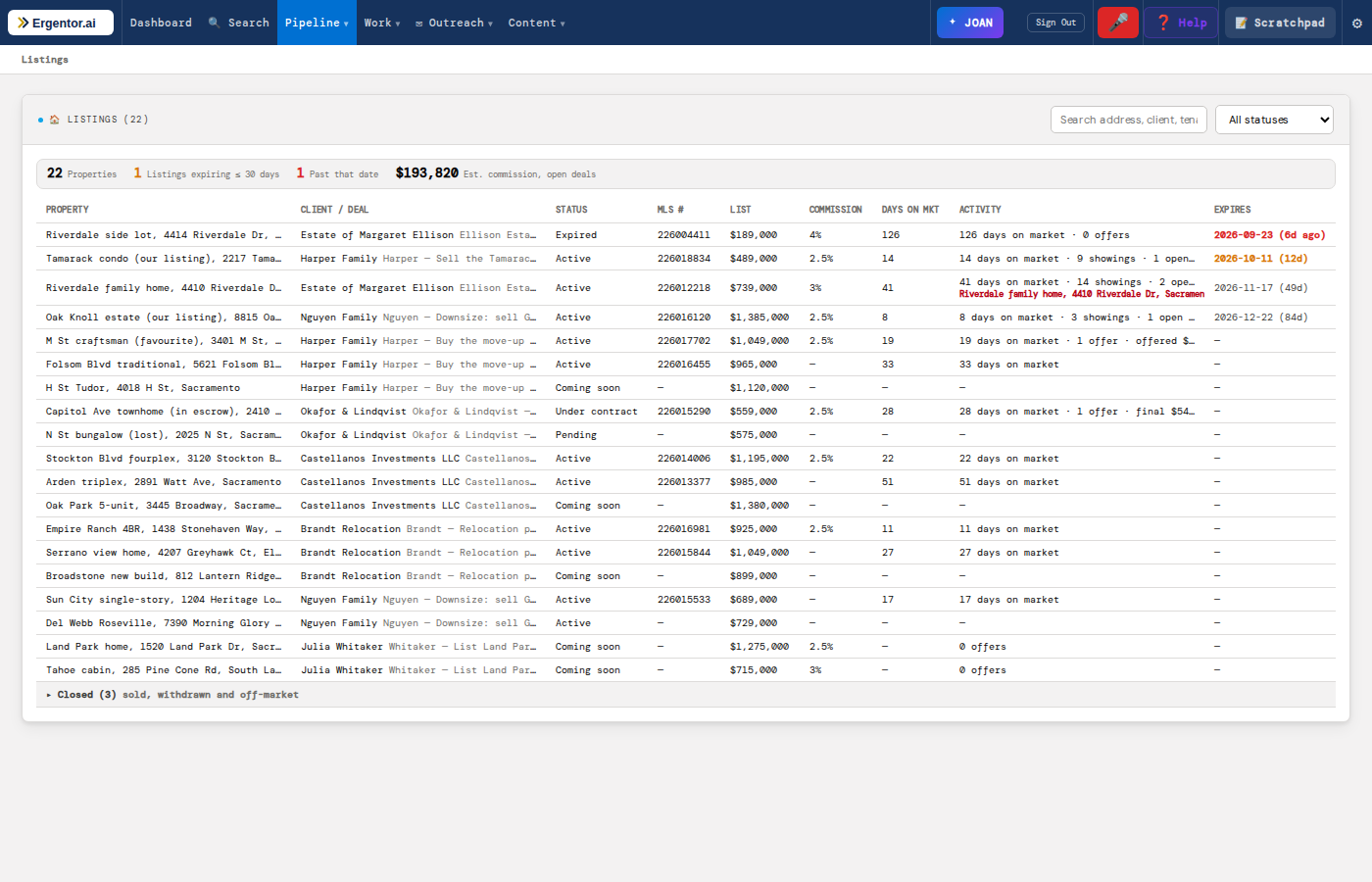
Every property carries the details a client asks about: price, beds and baths, size, MLS number, status, listing and expiry dates, commission and up to ten photos. The deal's value follows its primary listing, so the two can never disagree.
- Listing performance: days on market, showings, offers, price history
- A nudge when it is time for a price conversation — 14 showings, no offers
- One-click searches on Zillow, Redfin, Trulia and Realtor.com
- The Listings page: every property, soonest expiry first
Offers and counters, round by round
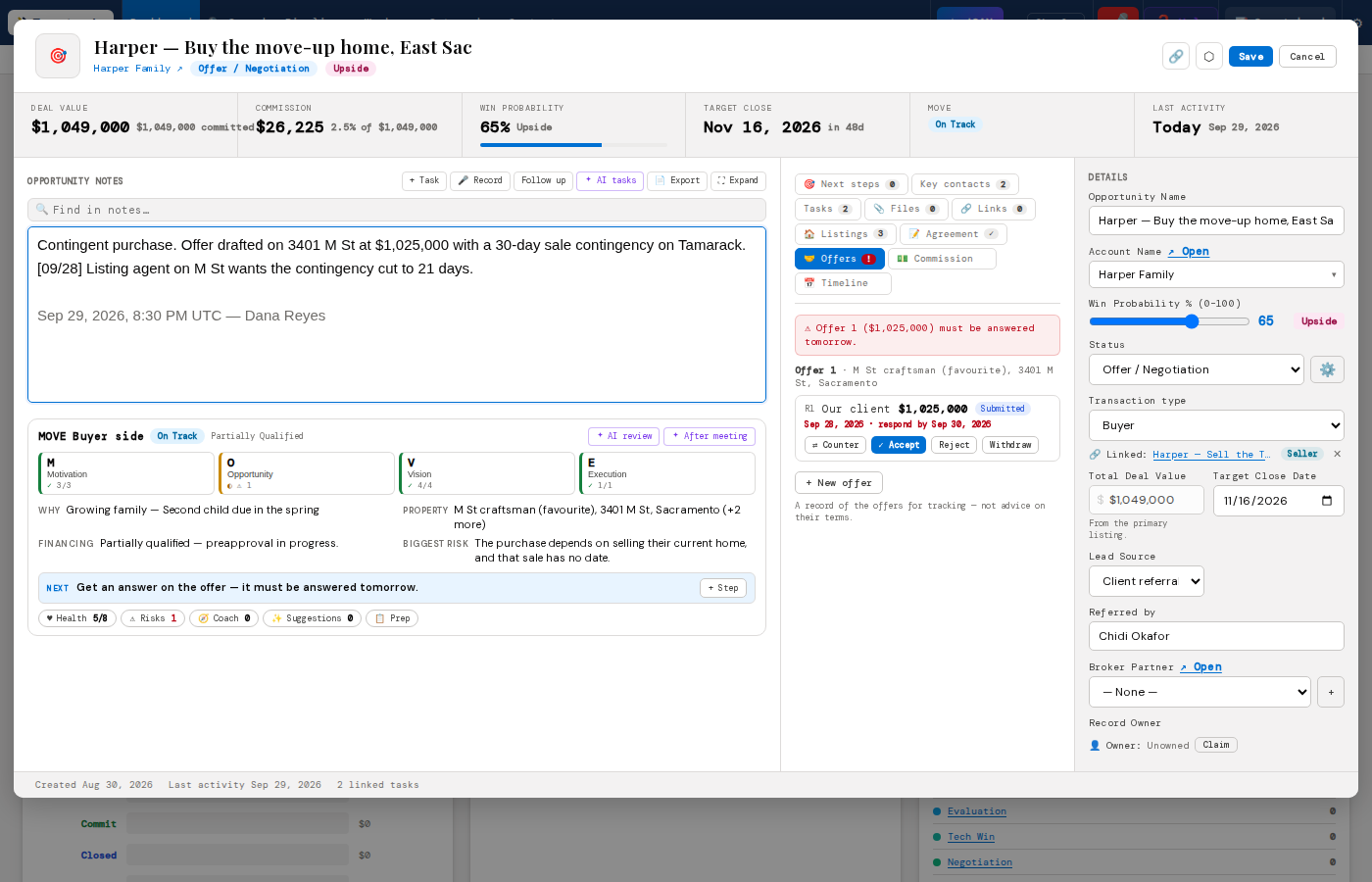
Price, financing, earnest money, contingency periods, concessions and the response deadline. A counter is its own round, so you can always see what changed. Accept an offer and Ergentor moves the deal to Under Contract and fills in the milestone dates — after asking you first.
- An alert when an offer is due for an answer
- What changed between rounds, worked out exactly — never guessed
- Representation agreements tracked alongside, with expiry warnings
Never miss a contingency date again
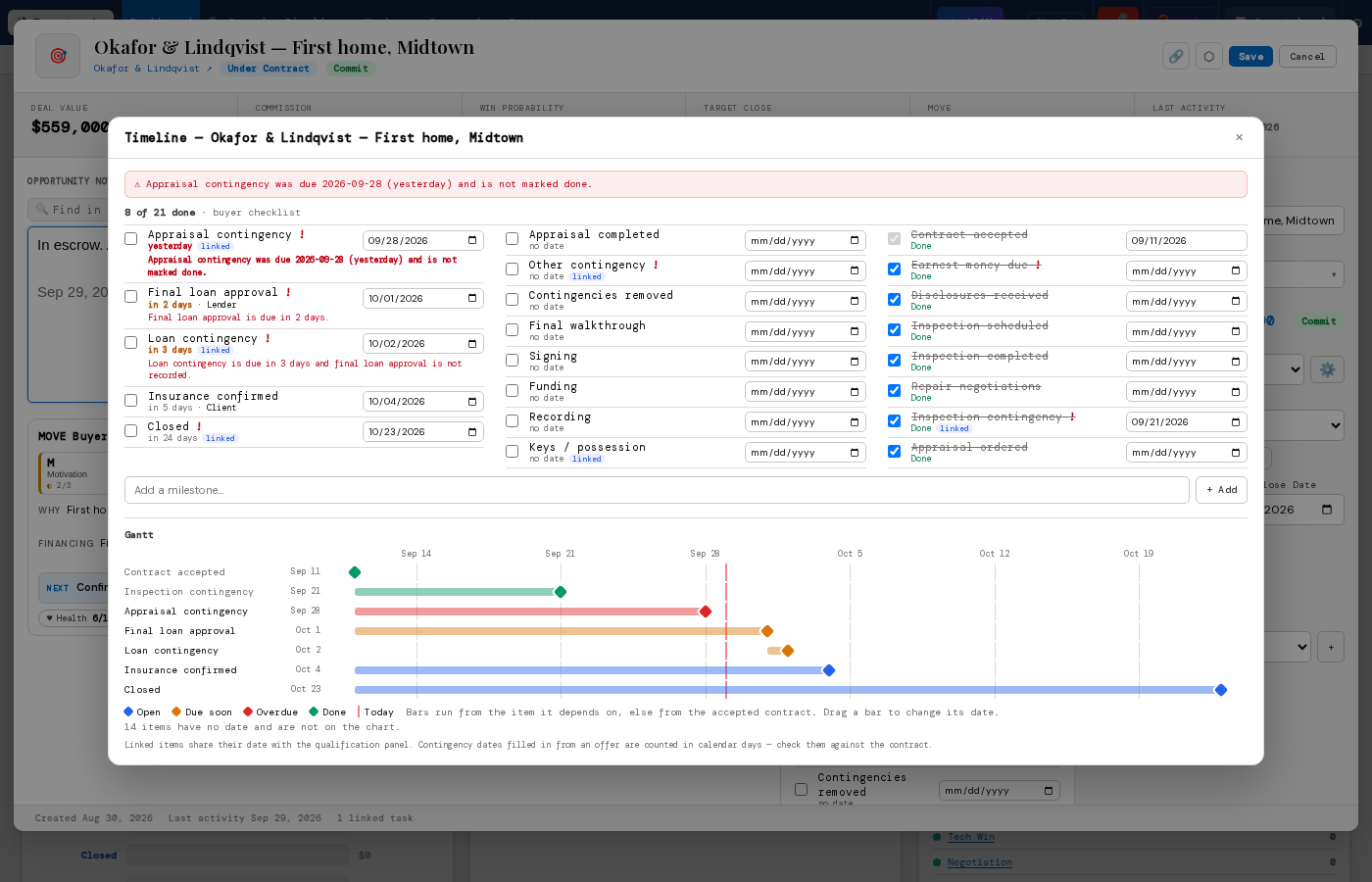
Once an offer is accepted, a transaction checklist appears — buyer, seller, lease or commercial — with owners, due dates and dependencies. Alerts escalate as a date gets closer, and louder when something it depends on isn't done yet.
- A Gantt chart of the whole escrow — drag a bar to move a date
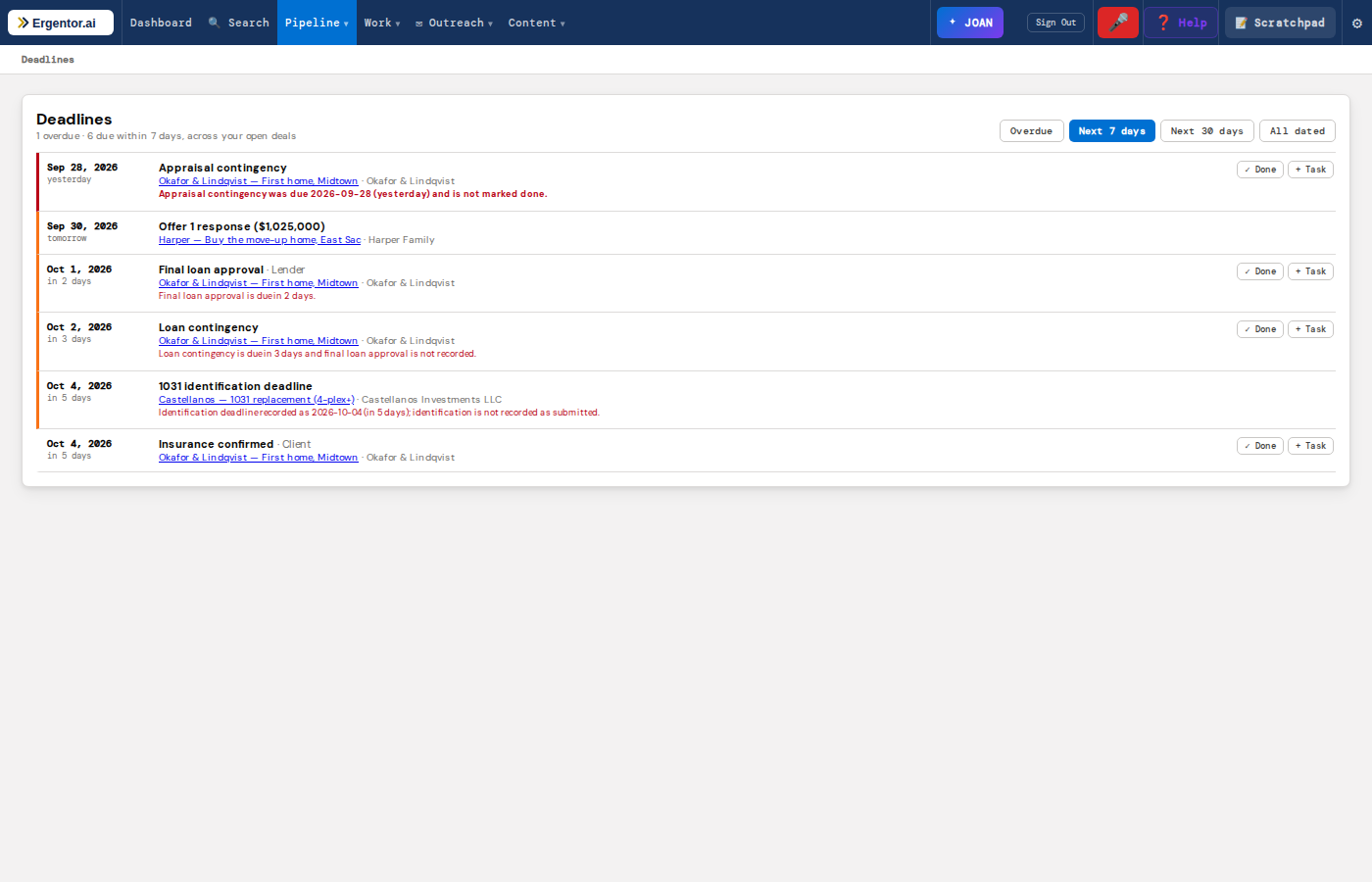
- "Loan contingency is due in 3 days and final loan approval is not recorded"
- A Deadlines page across every open deal: overdue, next 7 days, next 30
- A document checklist in the deal's Files tab — what's received, what to chase
Your morning list, written for you
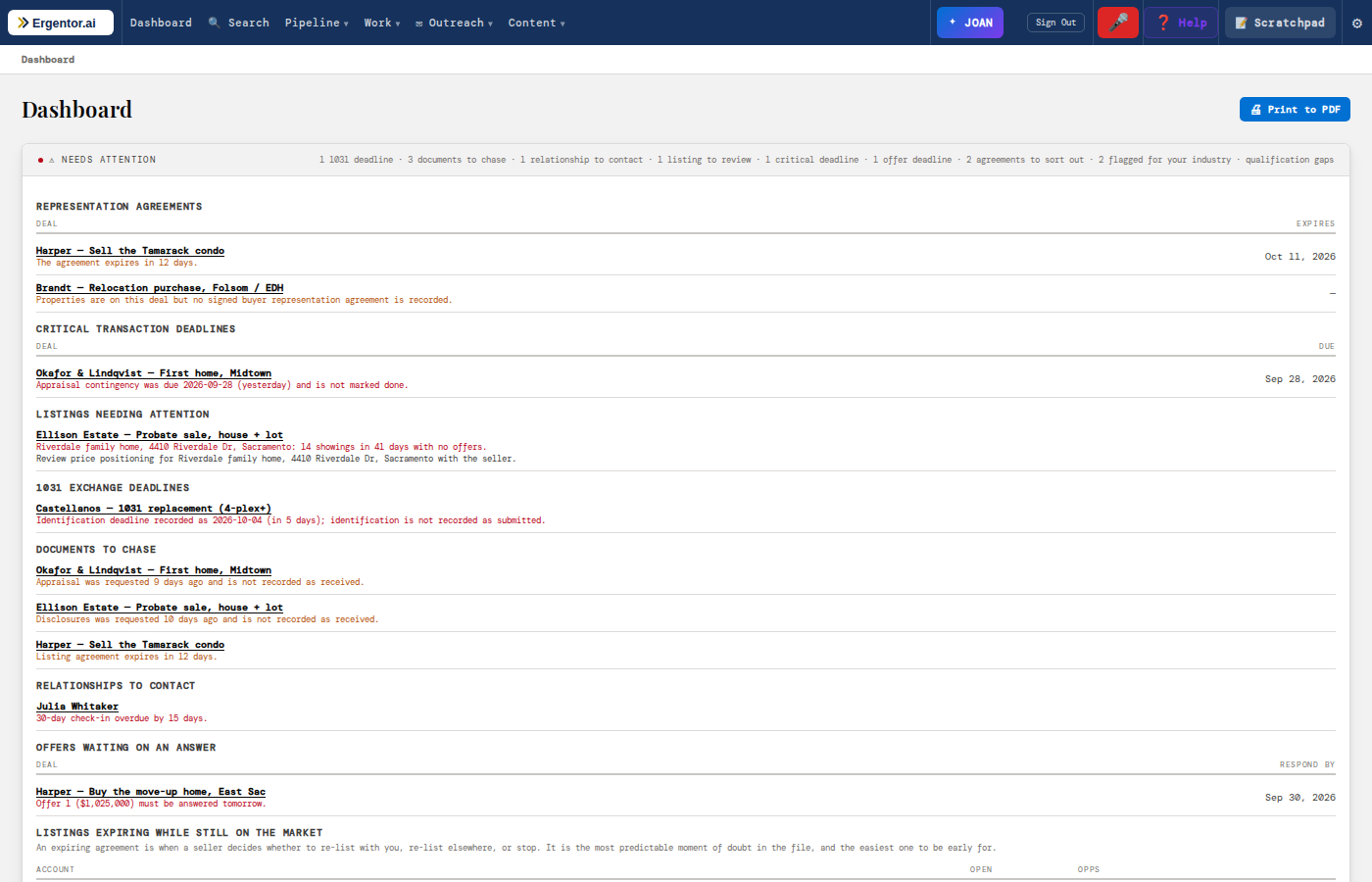
The dashboard's Needs Attention card gathers what matters today from every deal: agreements about to expire, critical deadlines, listings that need a price talk, 1031 dates, documents to chase, past clients due a call and offers waiting on an answer.
- Named rules on dates you recorded — never an opaque score
- Each row opens the deal on the tab it is about
- Pipeline by stage and commission totals on the same dashboard
Know what you'll earn — and where it comes from
Commission, lead sources and your sphere, all worked out from the deals you're already keeping.
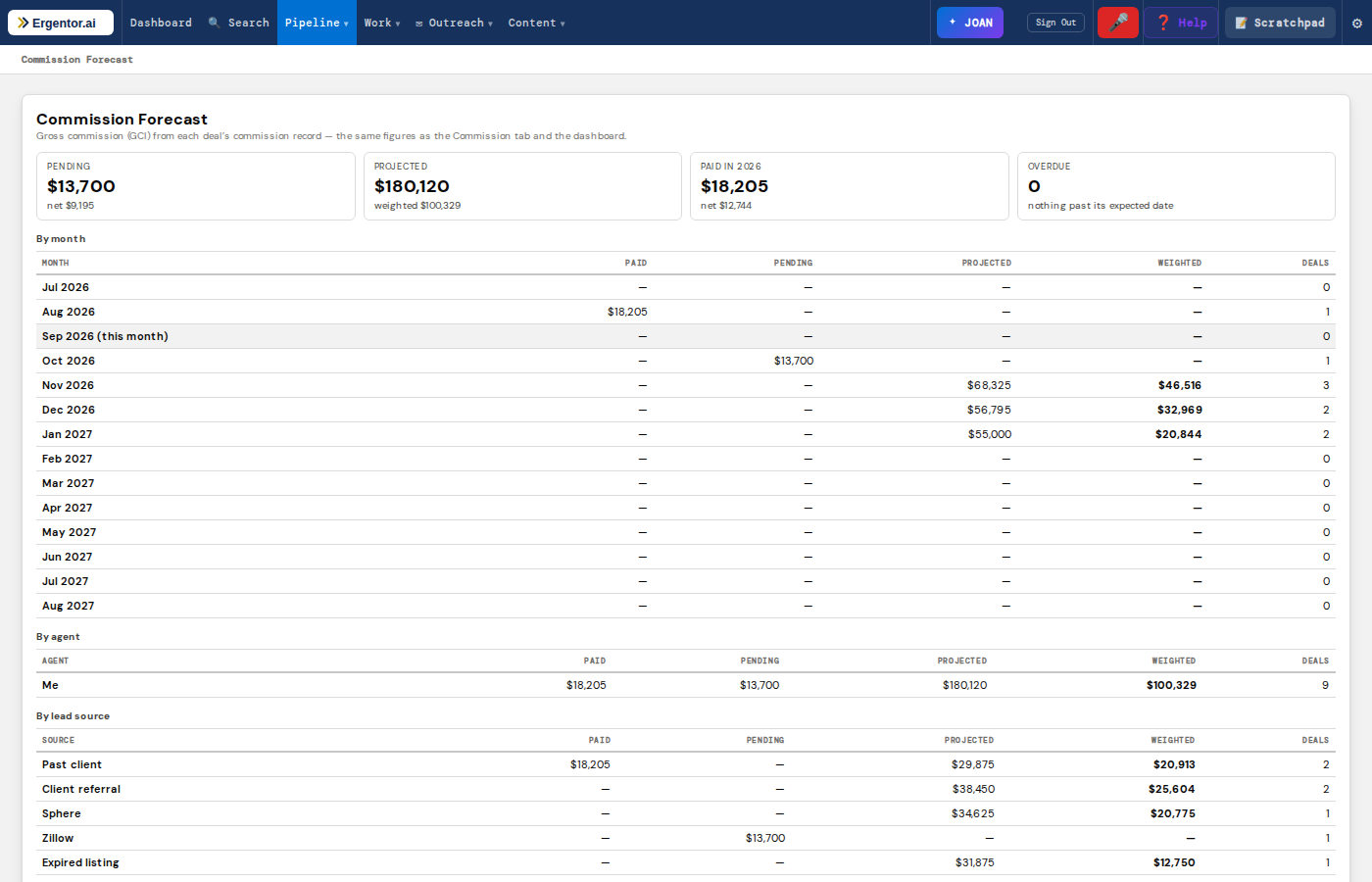
Gross to net, and a forecast by month
Commission is worked out from the agreement or the listing and the accepted price, then taken through referral fees, brokerage split, team split and transaction fees to what you actually take home. Every figure says where it came from.
- One calculation everywhere — deal, dashboard, forecast and reports agree
- Commission Forecast: paid, pending and projected by month, weighted by win probability
- Broken down by agent and by lead source
- An unknown figure shows as unknown — never as $0
Which sources pay — and which just cost
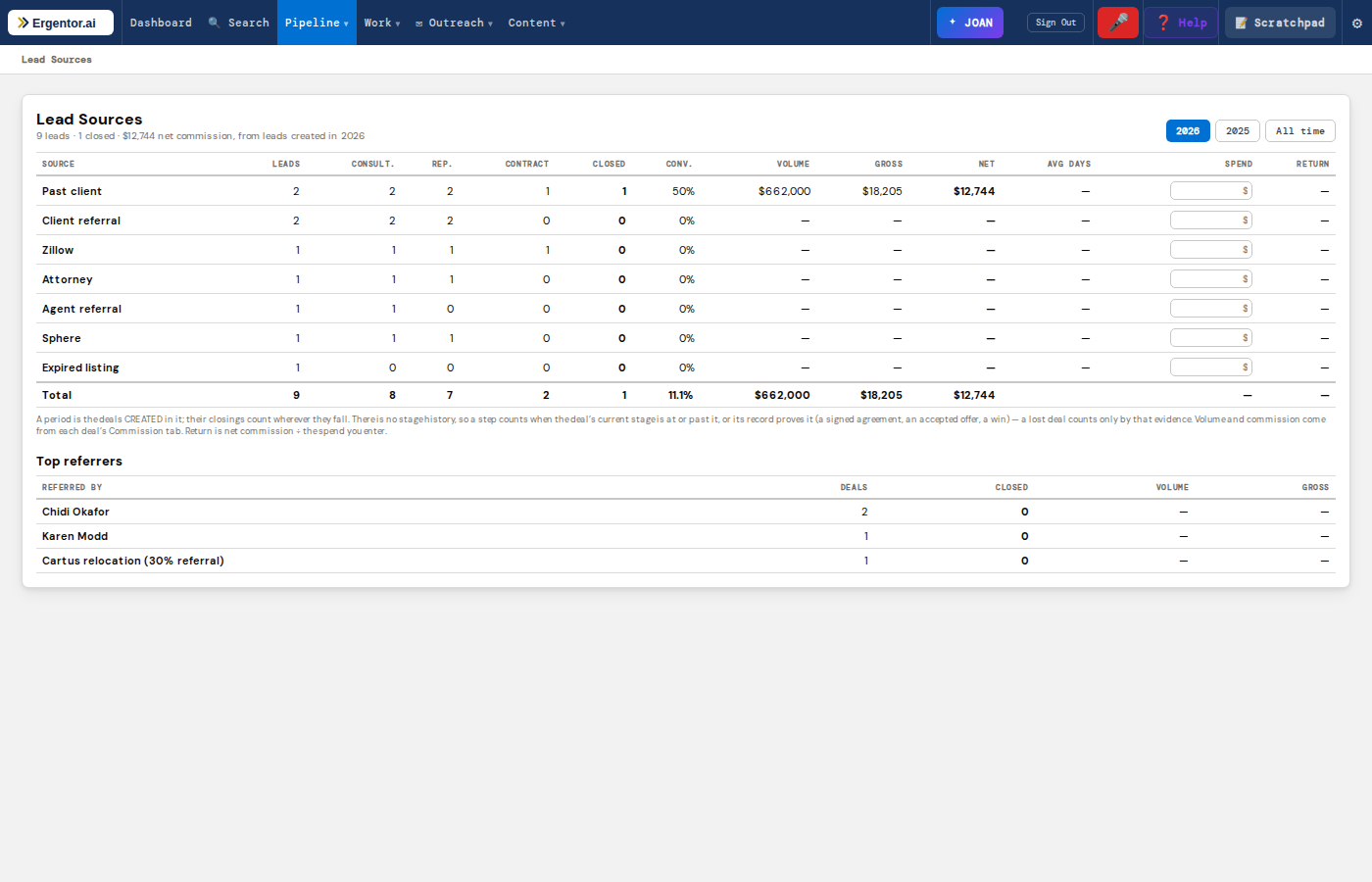
Twenty real-estate lead sources, from past clients and referrals to portals and open houses. See how each one converts from lead to closing, the volume and commission it produced, and — once you enter what you spent — your return.
- Record who referred each client, and see your top referrers
- Conversion by year or all time
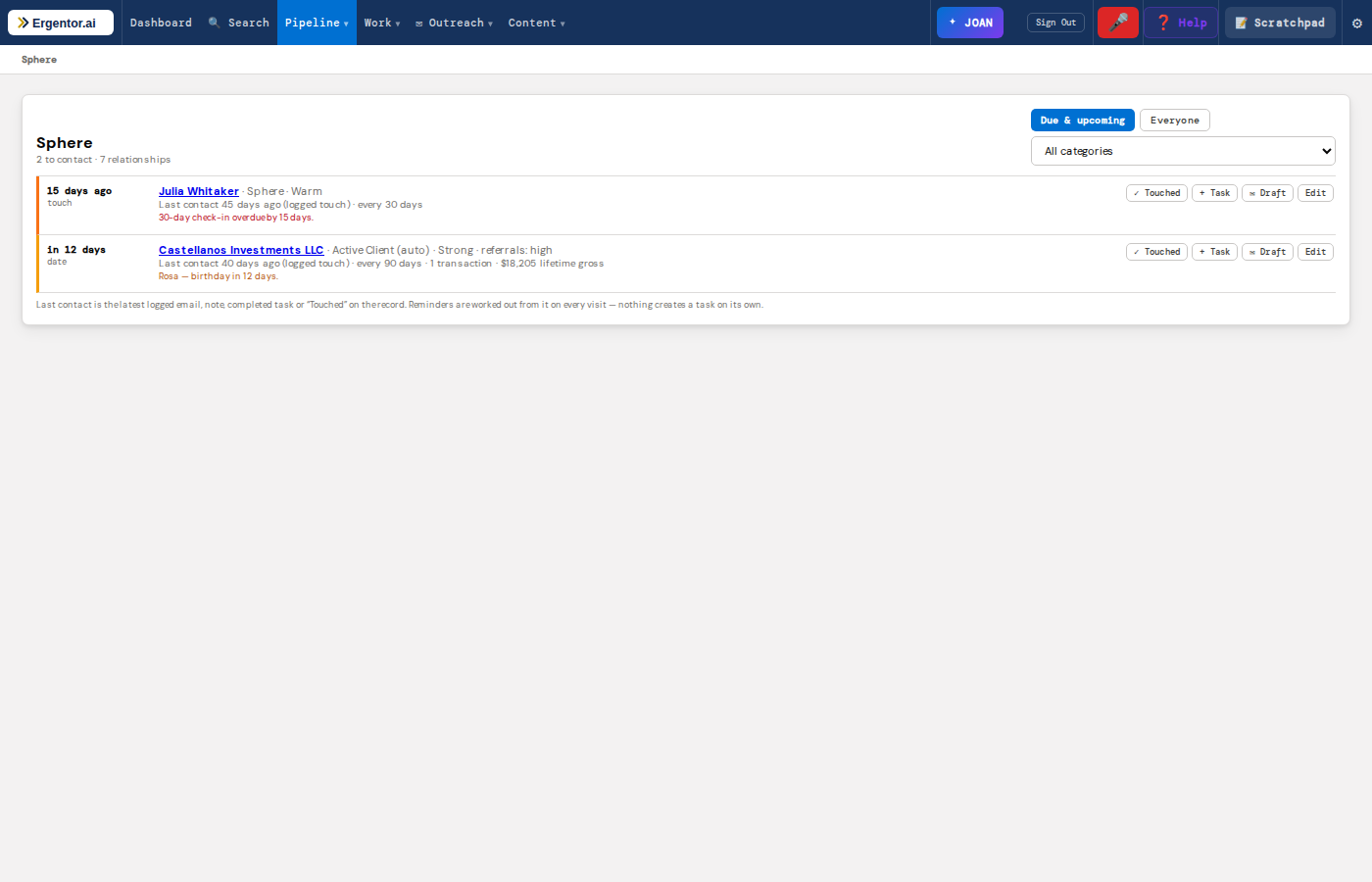
Stay in touch with the people who send you business
Set how often you want to reach each relationship and Ergentor tells you who is due. Birthdays, important dates and home-purchase anniversaries come up on their own — anniversaries straight from the deals you closed.
- Last contact taken from your emails, notes and tasks
- Draft a personal check-in with AI in one click — not a sales pitch
- Lifetime transactions and commission per relationship
Built for commercial brokers too
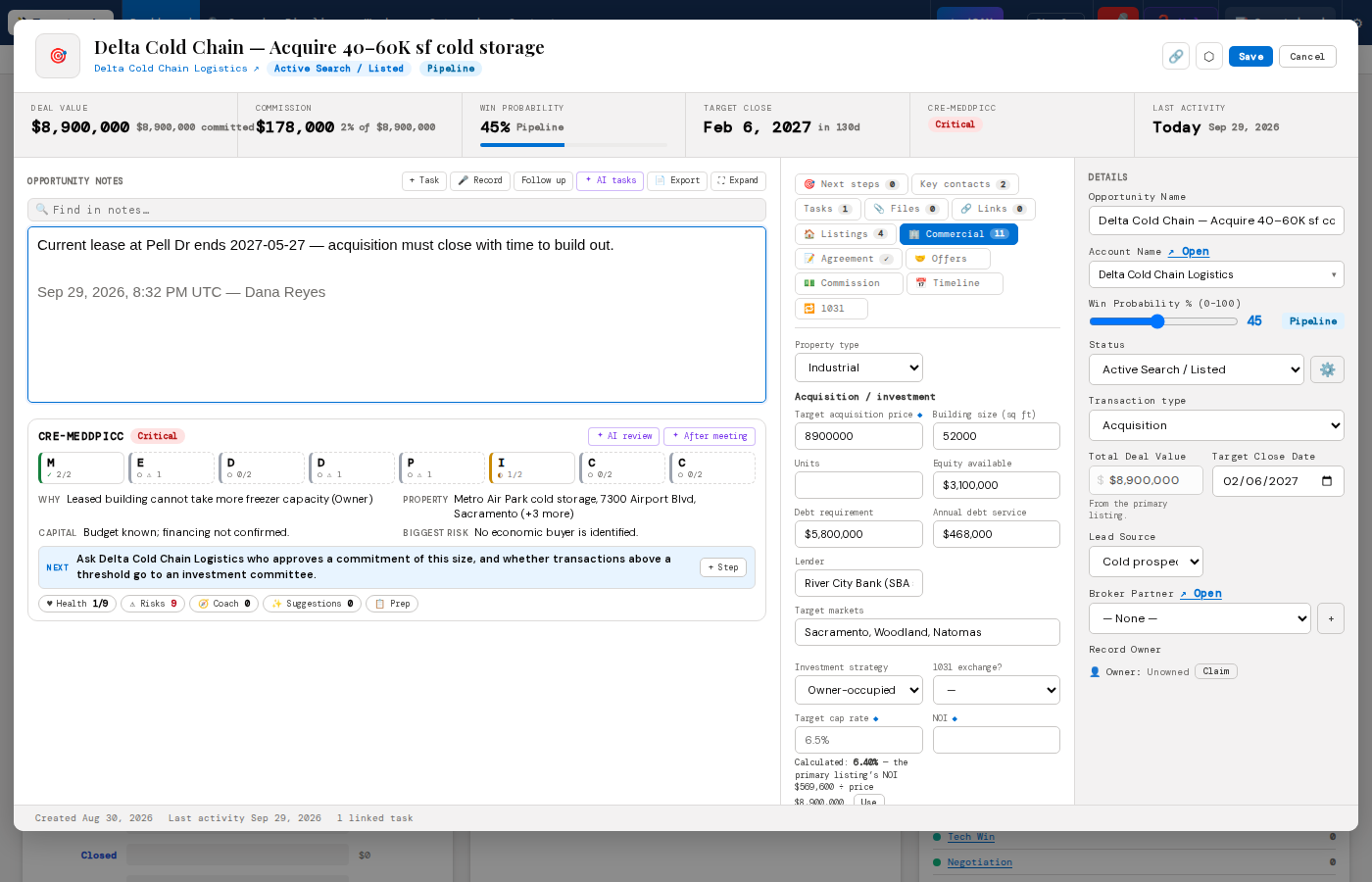
Switch to Commercial / CRE and the deal speaks your language: cap rates, rent per square foot, TI and 1031 clocks.
Acquisition, leasing and landlord fields that follow the deal type
An acquisition asks for price, equity, debt, cap rate, NOI and the diligence period. A tenant-rep deal asks for square footage, headcount, budget, TI, term and parking. The building's own figures live on the listing.
- Cap rate, $/sf, LTV, DSCR, debt yield and cash-on-cash calculated from what you entered — with the working shown
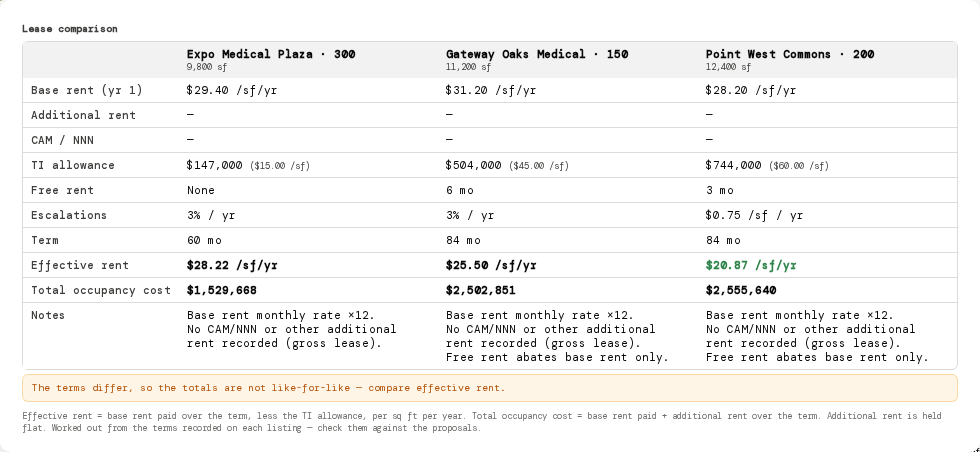
- Lease comparison: effective rent and total occupancy cost across candidate spaces
- Plain arithmetic, no AI guesswork — a missing input shows as missing
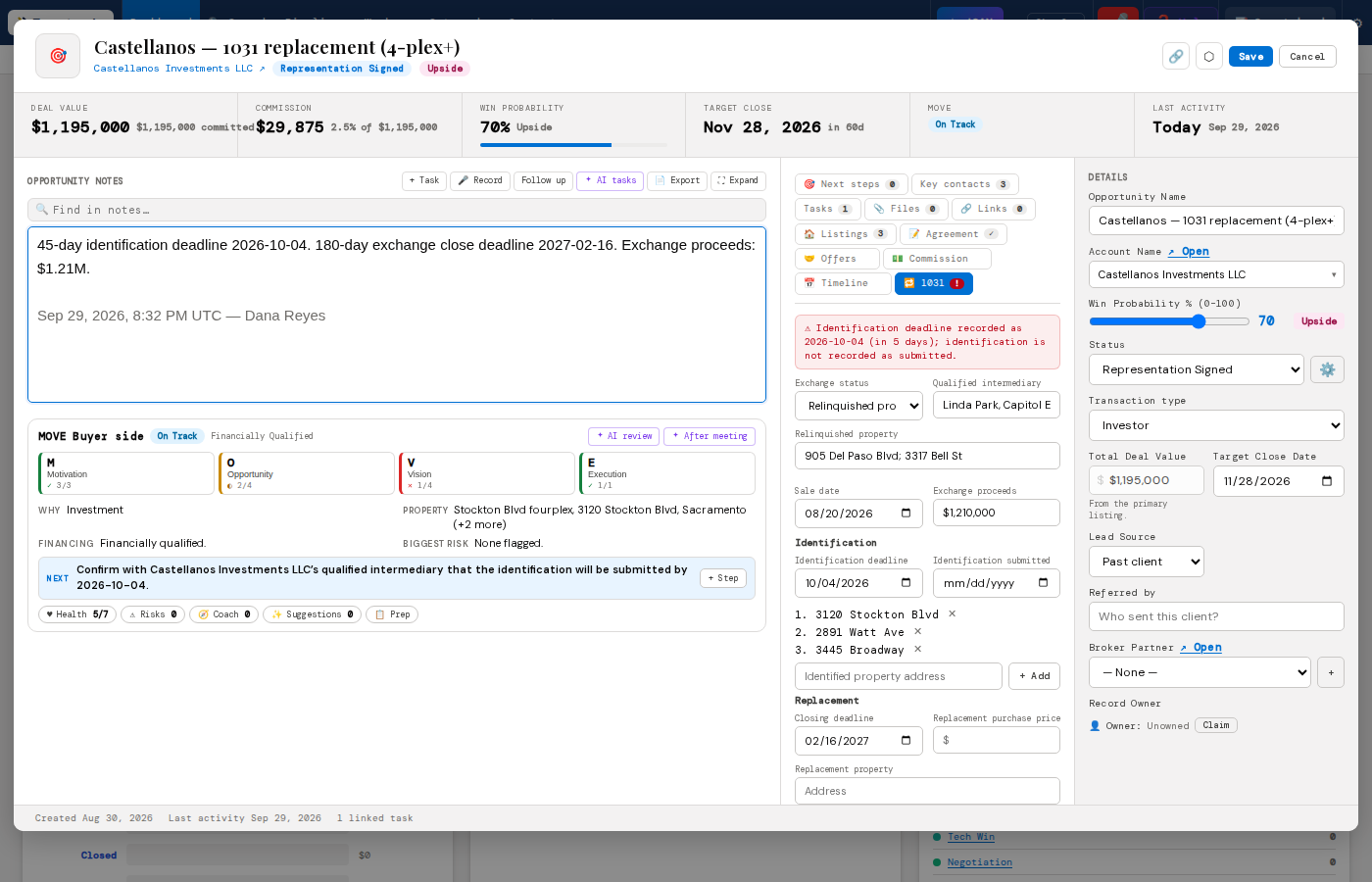
The 45- and 180-day clocks, in front of you
Record the relinquished property, the sale date, the qualified intermediary and the identified properties. Ergentor suggests the identification and closing deadlines and warns you as they approach — on the deal, the Deadlines page and the dashboard.
- Deadlines are only set when you confirm them with the intermediary
- Tracking only — Ergentor never says whether an exchange qualifies
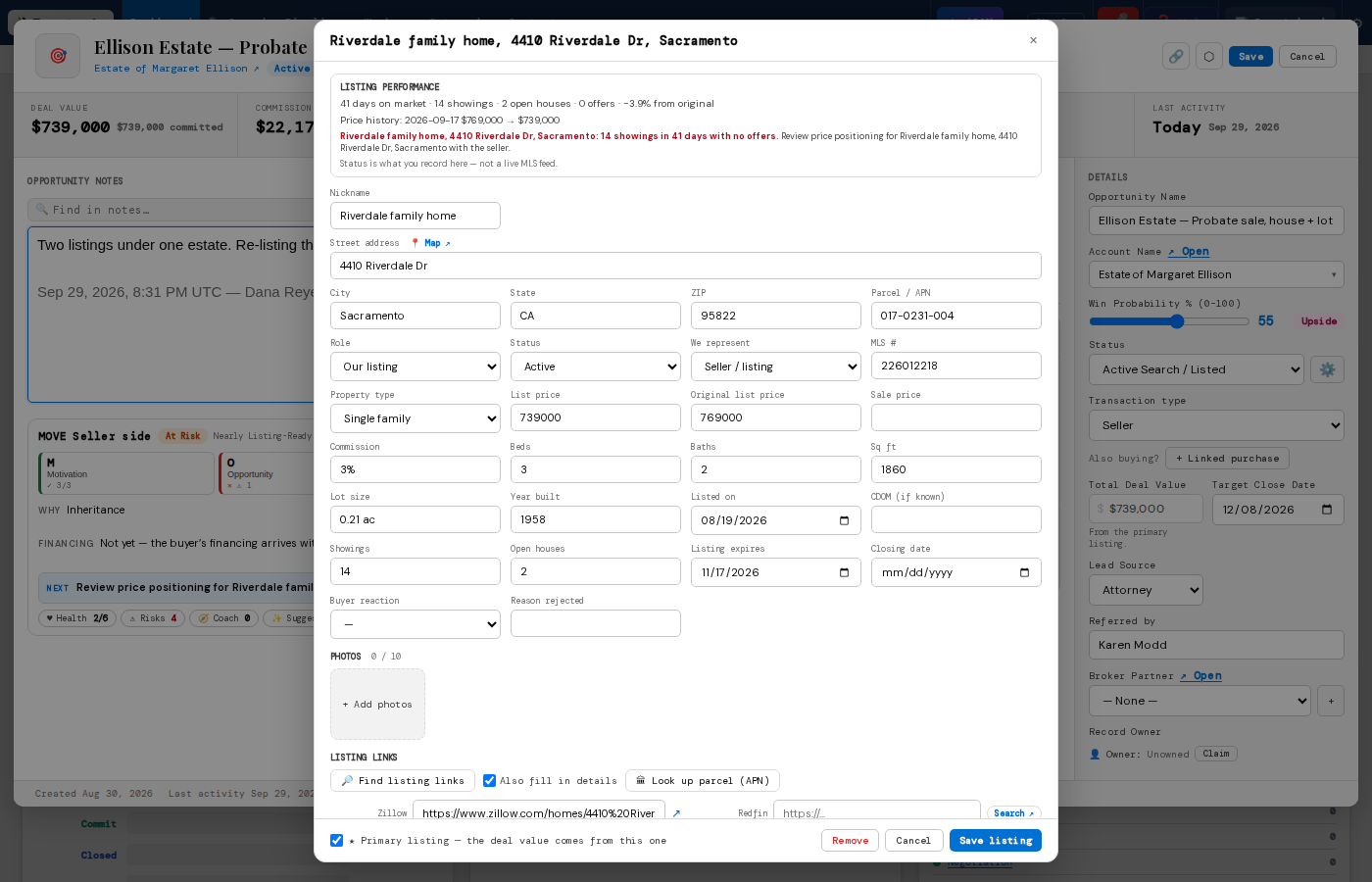
Your state's official forms, one click away
Pick a state and see its regulator's free forms and disclosures, plus the federal set — lead-paint disclosure and the CFPB loan forms. We link rather than copy, so you always open the current version.
- State by state, linked to official government sites
- Tells you plainly when contracts come from your association instead